Physical Address
304 North Cardinal St.
Dorchester Center, MA 02124
Physical Address
304 North Cardinal St.
Dorchester Center, MA 02124
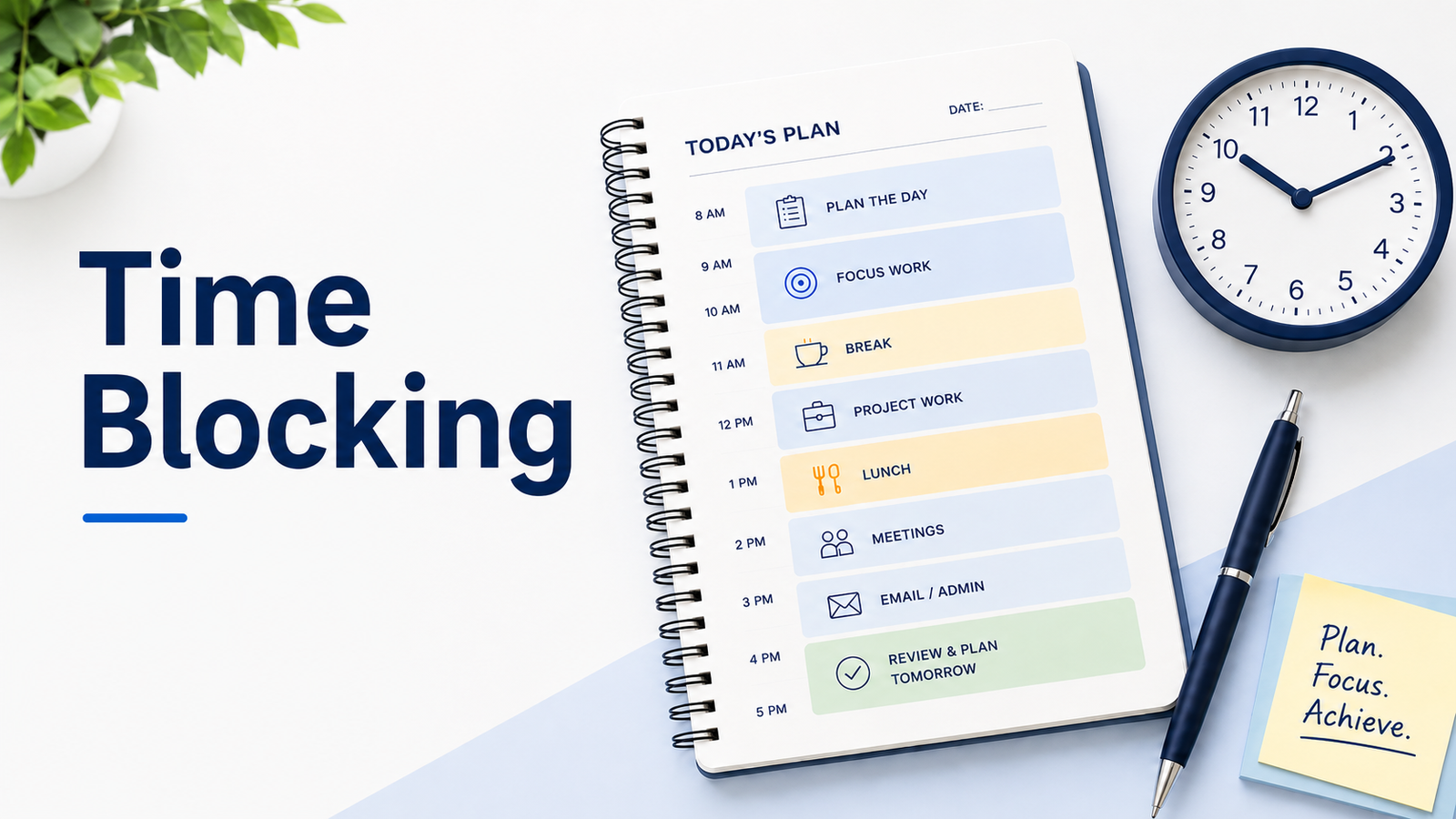
Most days feel busy before they even begin. Tasks pile up, messages interrupt your focus, and decisions about what to do next never seem to stop. By the end of the day, it often feels like you worked all the time but finished very little.
Time blocking offers a quieter way to plan your day. Instead of reacting to tasks as they appear, you decide ahead of time how your hours will be used. Each part of your day has a purpose, and your calendar becomes a clear plan rather than a source of pressure.
This approach helps because it reduces mental switching. When you know what you are working on and when, your attention stays in one place longer. Fewer decisions compete for your focus, and your time starts to feel more deliberate instead of scattered.
Time blocking is not about filling every minute or following a rigid schedule. It is about creating structure that supports how you actually work. When done well, it brings clarity to your day and leaves more space for focused work, breaks, and life outside your tasks.
Time blocking is a simple planning method where you divide your day into blocks of time and assign each block a purpose. Instead of keeping a long to-do list and deciding what to do next all day, you plan when important tasks, meetings, admin work, breaks, and personal routines will happen.
| Question | Simple Answer |
|---|---|
| What is time blocking? | A way to plan your day by assigning tasks or activities to specific time blocks. |
| Best for | Focus work, meetings, admin tasks, study sessions, weekly planning, and busy workdays. |
| Main benefit | It helps you see what realistically fits into your day before the day gets away from you. |
| Best tool to start | A calendar app, paper planner, notebook, or simple weekly planning sheet. |
| Beginner tip | Start with 2 or 3 important blocks instead of trying to schedule every minute. |
Time blocking works best when it gives your day direction without making your schedule feel too rigid. You can keep it simple at first, then adjust your blocks as you learn how much time your work actually needs.
Time blocking is a planning method where you reserve specific parts of your day for specific types of work. Instead of keeping an open-ended to-do list, you decide when each task, routine, or responsibility will happen.
For example, you might block 9:00 to 10:30 for focused project work, 10:30 to 11:00 for email, 1:00 to 2:00 for meetings, and 4:00 to 4:30 for planning tomorrow. Each block gives your day a clear purpose, so you are not constantly deciding what to do next.
Time blocking can be used for work tasks, study sessions, meetings, personal routines, errands, breaks, and deep work. It does not mean every minute has to be controlled. A good time-blocked schedule still leaves room for changes, delays, and unexpected work.
This is why time blocking works well for many people: it turns a loose list of tasks into a more realistic plan for the day.
Time blocking works because it reduces the number of decisions you have to make during the day. When your next task is already placed on your calendar, you do not have to keep asking, “What should I do now?”
It also makes your workload more visible. A to-do list can keep growing without showing how much time each task needs. A time-blocked schedule shows whether your plan can actually fit into the hours you have.
Another reason time blocking helps is that it protects focused work. Instead of letting email, messages, and small tasks spread across the whole day, you can give them their own blocks. This makes it easier to stay with one type of work at a time.
Time blocking does not make your day perfect, but it gives you a structure to return to when things change. That structure is what makes the method useful for busy workdays, flexible schedules, and people who often feel pulled in too many directions.
Time blocking helps you plan your day with more intention. Instead of reacting to whatever feels urgent, you can decide where your time should go before the day becomes busy.
Here are the main benefits:
A time-blocked schedule gives you a clear starting point. You can see what needs your attention first, what can wait, and where your most important work fits into the day.
A to-do list can make everything feel equally possible. Time blocking forces you to look at the actual hours available. This makes it easier to spot when your plan is too full.
Important tasks often get pushed aside by emails, meetings, and quick requests. Time blocking helps you reserve space for deep work before the day fills up.
When similar tasks have their own blocks, you switch less often between different types of work. This can make your day feel less messy and easier to manage.
Time blocking is not only for work tasks. You can also block time for lunch, short breaks, exercise, errands, family routines, or end-of-day planning.
At the end of the day, your calendar shows what you planned, what changed, and where your time actually went. That makes it easier to adjust your schedule for tomorrow.
Time blocking often gets confused with other planning approaches. While they share similar goals, the way they shape your day is different. Understanding these differences helps you choose the method that fits your work style instead of forcing one that does not.
A to-do list tells you what you need to do. Time blocking helps you decide when you will do it.
Both methods can be useful, but they solve different problems. A to-do list is good for collecting tasks. Time blocking is better for turning those tasks into a realistic plan for the day.
| To-Do List | Time Blocking |
|---|---|
| Shows what needs to be done | Shows when each task will happen |
| Can keep growing throughout the day | Works within the time you actually have |
| Treats many tasks as equally available | Helps you choose what fits now and what waits |
| Good for capturing tasks quickly | Good for planning focused work and routines |
| Can feel overwhelming when it gets too long | Makes your workload easier to see |
You do not have to choose one method forever. Many people use both: a to-do list to capture tasks and a calendar to block time for the most important ones.
Time blocking and time boxing are similar, but they are not exactly the same.
Time blocking means reserving a part of your day for a task, activity, or type of work. For example, you may block 9:00 to 10:30 for writing, 11:00 to 11:30 for email, and 2:00 to 3:00 for meetings.
Time boxing means giving a task a fixed time limit. For example, you may decide to spend only 30 minutes cleaning your inbox or 45 minutes outlining a report.
The main difference is this:
| Method | Main Focus |
|---|---|
| Time blocking | When the work will happen |
| Time boxing | How long you will allow for the work |
You can also use both together. For example, you might block 10:00 to 11:00 for research and decide that the task ends when the hour is over, even if it is not perfect.
Task batching means grouping similar tasks together so you can do them in one focused session. For example, instead of checking email every 20 minutes, you may create one email block in the morning and another in the afternoon.
Time blocking is the larger planning method. Task batching can fit inside it.
For example:
| Time Block | Task Batch |
|---|---|
| 9:00–10:30 | Focus work |
| 11:00–11:30 | Email replies |
| 1:00–2:00 | Meetings |
| 3:00–3:30 | Admin tasks |
| 4:00–4:30 | Planning and follow-ups |
The simple way to understand it is this: time blocking gives your day structure, while task batching helps you group similar work inside that structure.
Daily scheduling is the general habit of planning your day. It may include appointments, meetings, reminders, deadlines, errands, and personal tasks.
Time blocking is a more structured version of daily scheduling. Instead of only writing down what needs to happen, you give different parts of your day a clear purpose.
For example, a daily schedule may say:
A time-blocked schedule would turn that into:
| Time | Block |
|---|---|
| 9:00–10:00 | Work on report |
| 10:00–10:30 | Team meeting |
| 11:00–11:30 | Client call |
| 4:30–5:00 | Buy groceries |
The difference is that daily scheduling helps you remember what is on your day, while time blocking helps you decide where your time will actually go.
You do not need a perfect calendar to start time blocking. Start with a simple plan for one day, then adjust it as you learn how much time your tasks actually need.
Start by writing down the tasks, meetings, routines, and responsibilities that need space in your day. Include both work and personal items if they affect your schedule.
This may include:
At this stage, do not worry about the order. The first step is to get everything out of your head.
Look at your list and choose the tasks that matter most. These are the tasks that should not be squeezed into leftover time.
For many people, this includes project work, writing, studying, client work, planning, or any task that needs quiet focus.
Place demanding tasks during the part of the day when you usually have the most focus. If your mornings are clearer, use them for deep work. If you feel better later in the day, protect that time instead.
Lighter tasks, such as email, admin work, or simple follow-ups, can go into lower-energy parts of the day.
Add meetings, appointments, deadlines, school runs, commutes, or other fixed commitments to your calendar first. These blocks are harder to move, so they show you how much flexible time is actually available.
Now place your most important tasks into the open spaces. Keep the first version simple. You do not need to schedule every minute.
For example:
Do not pack blocks back-to-back all day. Leave small gaps for breaks, transitions, unexpected requests, or tasks that take longer than planned.
A realistic schedule is easier to follow than a perfect-looking one.
At the end of the day, look at what worked and what changed. If a task took longer than expected, give it more space next time. If your schedule felt too tight, remove or combine a few blocks.
Time blocking gets better when you treat it as a flexible planning habit, not a strict rulebook.
Time blocking can look different depending on your work, energy, and daily responsibilities. The point is not to copy someone else’s perfect schedule. The point is to give your day a clear structure that you can actually follow.
Here are a few simple examples.
| Time | Block |
|---|---|
| 8:30–9:00 | Plan the day and check priorities |
| 9:00–10:30 | Focus work |
| 10:30–10:45 | Break |
| 10:45–12:00 | Project work |
| 12:00–1:00 | Lunch |
| 1:00–2:30 | Meetings or collaboration |
| 2:30–3:00 | Email and admin |
| 3:00–4:00 | Follow-ups or lighter work |
| 4:00–4:15 | Review the day and plan tomorrow |
This kind of schedule works well when your day has a mix of focus work, meetings, admin tasks, and review time.
| Time | Block |
|---|---|
| Morning | Deep work or priority task |
| Midday | Meetings, calls, or collaboration |
| Afternoon | Admin, email, and follow-ups |
| Late afternoon | Planning, review, or lighter tasks |
This version works better if your day changes often and exact time slots feel too rigid.
| Time | Block |
|---|---|
| 7:30–8:00 | Morning routine |
| 8:00–12:00 | Classes or lectures |
| 12:00–1:00 | Lunch and break |
| 1:00–2:30 | Study block |
| 2:30–3:00 | Admin, email, or assignments |
| 4:00–5:00 | Exercise or personal time |
| 7:00–8:00 | Review notes or prepare for tomorrow |
This example works well for students because it separates class time, study time, breaks, and personal routines.
| Time | Block |
|---|---|
| 8:30–9:00 | Start-up routine and daily planning |
| 9:00–10:30 | Focus work |
| 10:30–11:00 | Messages and email |
| 11:00–12:00 | Meetings or team check-ins |
| 12:00–1:00 | Lunch and reset |
| 1:00–2:30 | Project work |
| 2:30–3:00 | Admin tasks |
| 3:00–4:00 | Calls, follow-ups, or team work |
| 4:00–4:15 | End-of-day review |
Remote workers often need clear boundaries because work and personal space can blend together. A simple time-blocked schedule can make the day feel more defined without becoming too strict.
Time blocking works best when your schedule is realistic. If the plan is too tight or too complicated, it can become hard to follow.
Here are the most common mistakes to avoid.
You do not need to fill every open space on your calendar. A packed schedule may look productive, but it leaves no room for breaks, delays, or unexpected work.
Tasks often take longer than expected. Add small gaps between blocks so your whole day does not fall apart when one task runs late.
A block like “work” may not be specific enough. Try using clearer labels such as “write report,” “reply to email,” “prepare meeting notes,” or “review project plan.”
Do not put your hardest work into the part of the day when you usually feel tired or distracted. Match demanding tasks with your best focus hours when possible.
Your schedule will change. That does not mean time blocking failed. Move blocks, shorten them, or shift lower-priority tasks when needed.
Time blocking should guide your day, not control it completely. The best schedule gives you direction while still leaving room for real life.
Once you understand the basic method, you can make time blocking easier to follow by adjusting it around how your day actually works.
Theme blocks group similar work into larger parts of the day. For example, you may keep mornings for deep work, early afternoons for meetings, and late afternoons for admin tasks.
This works well if you do not want to plan every small task in detail.
Some tasks happen again and again, such as email, planning, exercise, weekly reviews, or team meetings. Adding recurring blocks can reduce how much planning you need to do each day.
A flexible block gives you space for overflow work, unexpected requests, or tasks that took longer than expected.
For example, you might keep 3:30 to 4:00 open for catch-up work instead of assigning it to a specific task too early.
A weekly review helps you notice patterns. You may find that certain tasks need more time, meetings are taking over your best focus hours, or your breaks are too short.
Use that information to adjust the next week instead of repeating the same schedule.
Try not to mix demanding work and small admin tasks in the same block. Deep work usually needs quiet focus, while shallow work can often be grouped into shorter blocks.
Keeping them separate makes your schedule easier to follow.
A time blocking template gives you a starting structure, so you do not have to build your schedule from scratch every day. You can use a calendar app, paper planner, spreadsheet, or notebook.
Here are a few simple templates you can try.
Use this when you want to plan one day at a time.
| Time | Task or Block |
|---|---|
| Morning | |
| Midday | |
| Afternoon | |
| Evening |
This template works well for beginners because it keeps the day simple. You can start with broad blocks first, then make them more specific later.
Use this when you want to plan your week before it starts.
| Day | Main Focus | Important Blocks |
|---|---|---|
| Monday | ||
| Tuesday | ||
| Wednesday | ||
| Thursday | ||
| Friday | ||
| Saturday | ||
| Sunday |
This is helpful if you manage several projects, recurring meetings, study sessions, client work, or household routines.
A weekly template can also help you step back and plan your time before the week starts. Stanford’s Learning Lab also shares a useful approach to weekly planning with time blocking that can help you think beyond one day at a time.
Use this when most of your planning happens around work.
| Time | Work Block |
|---|---|
| Start of day | Planning and priorities |
| Morning | Focus work |
| Midday | Meetings or collaboration |
| Afternoon | Admin, email, and follow-ups |
| End of day | Review and tomorrow’s plan |
This template works well if you want structure without filling every hour.
Use this when your day changes often.
| Part of Day | Block |
|---|---|
| Morning | Most important work |
| Midday | Meetings, calls, or errands |
| Afternoon | Email, admin, and lighter tasks |
| Evening | Personal routines or planning |
This template is useful if exact time slots feel too strict, but you still want your day to have direction.
You can copy one of these templates as-is, but it is better to adjust it around your real schedule. A template should make planning easier, not make your day feel harder to follow.
Time blocking does not have to look the same for everyone. The best version depends on how much control you have over your day, how often your schedule changes, and what kind of work needs your best focus.
Office workers often have fixed meetings, team routines, and shared responsibilities. Add those fixed commitments first, then protect smaller blocks for focused work, email, and planning.
If your calendar is meeting-heavy, even one protected focus block can make the day feel more manageable.
Remote workers may need clearer boundaries between work and personal time. Use blocks for starting work, deep work, lunch, messages, household tasks, and end-of-day shutdown.
This helps your workday feel more defined, especially when your home is also your workspace.
Freelancers and business owners often switch between client work, admin, marketing, calls, and planning. Time blocking can help separate these responsibilities instead of letting them compete all day.
For example, you might keep mornings for client work and afternoons for calls, proposals, invoicing, or follow-ups.
Students can use time blocking to separate classes, study sessions, assignments, breaks, and personal routines. It is especially helpful when deadlines are spread across different subjects.
A simple weekly block for review, homework, and exam prep can prevent everything from piling up at the last minute.
If your day changes often, use broad blocks instead of strict hour-by-hour planning. For example, you can set a morning priority block, an afternoon admin block, and a flexible catch-up block.
This gives your day direction without forcing a schedule that breaks as soon as something unexpected happens.
Time blocking can make your day easier to plan, but it may not work perfectly in every situation. Some schedules need more flexibility than others.
Time blocking may feel difficult when:
This does not mean you have to stop using time blocking. You may just need a lighter version.
Instead of planning every hour, you can use broad blocks such as morning focus work, afternoon meetings, admin time, and end-of-day review. This gives your day direction without making the schedule too strict.
Time blocking works best when it feels realistic. You do not need to plan every minute or build the perfect calendar on your first try.
Start with one simple day. Choose your most important work, give it space on your schedule, and leave room for breaks or changes. Then review what worked and adjust the next day.
Over time, time blocking can help you understand your workload better, protect your focus, and plan your day with more intention. The more honest your schedule is, the easier it becomes to follow.
Yes. Time blocking can work well for beginners because it gives your day a simple structure. Start with only a few important blocks, such as focus work, email, breaks, and planning time. You can add more detail later.
A time block can be as short as 15 minutes or as long as a few hours. The right length depends on the task. Email may only need 20 or 30 minutes, while deep work may need 60 to 120 minutes.
No. It is better to leave buffer time between blocks. If you schedule every minute, your plan can become stressful and hard to follow when something changes.
Time blocking focuses on when a task will happen. Time boxing focuses on how long you will allow for a task. You can use both together by blocking time for a task and giving it a fixed limit.
You do not need a special app to start time blocking. Google Calendar, Apple Calendar, Outlook Calendar, Notion, Todoist, paper planners, or a simple notebook can all work. The best tool is the one you will actually check and update.
Time blocking may help some people because it makes the day more visible and reduces constant decision-making. However, it should stay flexible. Shorter blocks, reminders, breaks, and buffer time may work better than a strict full-day schedule.
Move the block instead of treating the day as failed. Time blocking is meant to guide your day, not punish you for changes. Shift important blocks to another open space and remove or shorten lower-priority tasks when needed.